
How to Download and Use BetPawa App in Nigeria
📲 Learn how to download and install the BetPawa app in Nigeria, register easily, place bets, and stay secure for a smooth betting experience on your smartphone.
Edited By
Ifeanyi Okoye
If you're into sports betting in Nigeria, chances are you've heard about the BetPawa app. It’s popular because it offers a simple, user-friendly platform for placing bets on football, basketball, and other sports. Getting started with the BetPawa app means you can bet anytime, anywhere right from your smartphone. This section walks you through how to download the app safely, install it on your device, and begin betting without hassle.
Before downloading BetPawa, make sure your device is compatible. The app supports both Android and iOS devices, but since many Nigerians use Android smartphones, that is the most common focus.
Android: Your phone should run Android 5.0 or above with enough storage space (roughly 100MB). Check your phone settings for storage availability.
iOS: Requires iOS 11 or newer. It works on iPhones and iPads but ensure your iOS version is updated.
Also, verify your internet connection is stable. Mobile data or Wi-Fi with decent speed helps avoid interruptions during download and registration.
Go to the official BetPawa website on your phone browser. Avoid downloading from unknown sites to dodge risks like malware.
For Android, download the BetPawa APK file directly. You might need to enable app installation from unknown sources through your settings.
For iOS users, search for BetPawa on the App Store and download directly.
Once downloaded, install the app by following on-screen prompts.
Always update the app when prompted to benefit from the latest features and security patches.
After installation, open the app and create your account. You'll need to provide a valid phone number and set a strong password. Some personal details like your date of birth and email may be requested to comply with regulatory requirements.
Remember to activate your account through the SMS or email link sent to you. This confirms your registration and protects your account.
Use your BVN (Bank Verification Number) for faster verification, especially while withdrawing winnings.
Keep your login details safe, avoid sharing with others.
Enable app notifications to stay updated on bets and promotions.
Downloading and using the BetPawa app is straightforward once you follow these steps. The next sections will explore how to place your first bet and troubleshoot common issues to ensure smooth play.
Knowing how the BetPawa app works and what it offers is key before you start betting. In Nigeria’s busy betting scene, this app stands out for its simplicity, efficiency, and user-friendly design. Understanding its features helps you make informed decisions, place smart bets, and manage your account effectively.
BetPawa has carved a niche as a straightforward and accessible sports betting platform, popular among Nigerian bettors. It specialises in offering a variety of sports markets, from football—Nigeria’s favourite sport—to basketball, tennis, and even politics. The platform operates both through a website and a mobile app designed to run smoothly on everyday smartphones.
BetPawa’s appeal partly comes from its focus on ease of use. Unlike more complex betting platforms, BetPawa allows Nigerians to quickly register, deposit funds, and place bets without hours spent navigating complicated pages. For instance, when the Nigeria Premier League games are on, users can easily find and bet on match results, goal scores, or first goal scorers in just a few taps.
This app brings several practical advantages to Nigerian users. First, it offers live betting, meaning you can place bets while matches are ongoing, adjusting your wagers based on real-time game developments. This is particularly useful during tight matches where odds shift rapidly.
Second, the app supports multiple payment methods tailored for Nigeria, like Quickteller, Paystack, and direct bank transfers. This makes funding your account or withdrawing winnings hassle-free, even amid frequent naira fluctuations.
Another benefit is the low data consumption design. Considering many Nigerians rely on limited or expensive internet bundles, BetPawa’s app is lightweight and loads fast on mobile networks, such as MTN or Glo. This helps users avoid heavy data costs while betting on the go.
Moreover, the app provides clear bet tracking tools. You can view your active and past bets, track potential winnings, and cash out early if needed. This feature gives bettors greater control over their betting strategy.
Understanding these features helps you take full advantage of what BetPawa offers — from quick betting options to secure payment methods — ensuring your experience runs smoothly on Nigerian devices and networks.
In sum, grasping what BetPawa app provides gives you a solid footing to bet confidently and enjoy your betting without unnecessary hitches.
Before you download the BetPawa app, it's important to understand the requirements and compatibility to ensure a smooth installation and seamless user experience. Taking note of your device’s specifications, operating system, and internet capabilities helps avoid frustration from failed downloads or apps that run poorly. For Nigerian users, this is especially useful because many smartphones, whether new or tokunbo, differ widely in technical specs.
BetPawa supports a range of devices but mainly focuses on Android and iOS platforms, which cover nearly all smartphones Nigerians use for mobile betting. For Android devices, BetPawa typically requires Android 5.0 (Lollipop) or higher. This means if you are using a device running older versions—common among older phones—you may face difficulties installing the app or experience glitches during use.
For iOS devices like the iPhone, you need iOS 11.0 or later. This covers most iPhones from the iPhone 6 and upwards. Keep in mind that Apple’s app store policies sometimes affect availability, so checking the app store regularly for updates or notifications ensures you always have access to the latest version.
If you rely on tablets, the app's compatibility varies—it's designed primarily for smartphones, so while it may run on tablets, the experience might not be optimised. Also, lower-end devices with limited RAM (less than 2GB) may struggle with the app’s performance, causing slow loading times or crashes while placing bets.
The BetPawa app requires a stable internet connection for real-time updates and smooth betting activity. A 3G connection might work but expect delays or incomplete data, which is risky for live betting. A 4G/5G connection offers quicker load times and a better experience overall. For Nigerians paying by data, be aware that heavy use can consume sizeable megabytes, especially when streaming live scores or accessing promotions.
To keep your betting efficient and affordable, consider these tips:
Use Wi-Fi at home or trusted public areas where signal strength is strong
Monitor your data consumption regularly via your phone’s settings or your network provider’s app
Disable automatic background apps that might drain your data without adding value when betting
By ensuring your device meets the app's minimum system requirements and pairing it with a solid internet connection, you'll enjoy a faster, safer, and error-free betting experience with BetPawa on your smartphone or tablet.
Navigating the BetPawa app download and installation can seem tricky at first, but with a clear guide, you'll have it ready on your phone quickly. This section breaks down the process specifically for Android and iOS users in Nigeria, highlighting key steps and permissions you must be aware of. By following these pointers, you avoid common pitfalls like app incompatibility or security warnings.
For Android users, the BetPawa app is not always available directly on the Google Play Store due to betting app restrictions. You will need to download the APK file from BetPawa’s official website or a trusted Nigerian betting platform. Before downloading, check you have enough storage space—around 50MB is usually enough for the app.
Once the APK file is downloaded, open it from your 'Downloads' folder or notification bar to begin installation. Make sure your device has allowed app installation from ‘Unknown Sources’ or ‘Install unknown apps’ since this is required for APK files outside the Play Store. You can activate this option via Settings > Security or Settings > Apps & notifications depending on your device.
During installation, the BetPawa app will request some permissions to function well. These typically include access to storage (to save your bets and data), device information (for security and app performance), and network connectivity (to enable live betting and updates). Grant these permissions carefully; though they may seem extensive, they help the app operate smoothly.
Keep your device connected to a stable internet source throughout the installation. Internet interruptions can cause incomplete installation or errors. If you encounter any issue like an installation block, double-check permissions and restart your device before trying again.
Always download betting apps like BetPawa from official sources to avoid fake apps or malware risks.
On iOS, the BetPawa app is usually available on the App Store. To download, simply search for “BetPawa” and tap 'Get'. However, if the app does not appear, it might be due to Apple’s regional restrictions or updates.
If unavailable, Nigerian bettors can visit BetPawa’s website or contact support for direct links or alternative installation guidance. Ensure your device iOS version is compatible—the app generally supports iOS 11 and above.
Installation on iPhones typically does not require changing security settings, unlike Android. But after installing, if you experience issues opening the app, you may need to trust the app developer profile through Settings > General > Device Management.
By following these straightforward steps tailored for Nigerian users, you can get your BetPawa app up and running without fuss, ready to enjoy seamless sports betting at your convenience.
Setting up your BetPawa account is the first real step to enjoying all the benefits of this betting app. It makes placing bets, managing funds, and tracking your wagers smoother and faster. For Nigerian bettors, the process is designed to be straightforward and tailored to local needs, ensuring you get started quickly without unnecessary hassle.
To create your BetPawa account, you need to provide basic information like your phone number, email address, and a secure password. Verification usually happens through a One-Time Password (OTP) sent via SMS—this step confirms your identity and secures your account. Importantly, the app may also ask for further verification documents such as a valid national ID or your Bank Verification Number (BVN) to comply with Nigerian regulations and protect your funds.
Once verified, your account unlocks full features, and you can bet securely with confidence. For instance, confirming your details can prevent unauthorized access—something crucial given the rise in digital fraud. Keep your verification documents handy; sometimes BetPawa requests updates to maintain account integrity.
BetPawa supports multiple Nigerian-friendly payment options to fund your account easily. You can use bank transfers from popular banks such as GTBank, Zenith Bank, or Access Bank. Mobile money services like OPay and PalmPay are also supported, offering quick, on-the-go deposits directly from your phone.
To top up your account, open the app's wallet section and select your preferred payment method. Enter the amount and follow the prompt to complete the transaction. Deposits typically reflect instantly, but depending on your bank, it may take a few minutes. For example, funding with a USSD code like *919# (used by many Nigerian banks) can be a handy alternative when you have limited internet access.
Using local payment methods ensures convenience and avoids extra fees from currency conversion or international transfers, keeping your betting budget intact.
Betting on the app is simple and designed for speed. After funding your account, browse the sports or events you are interested in—football remains the most popular among Nigerian sports lovers. The app offers live betting options too, allowing you to place wagers while matches are ongoing.
Place your bet by selecting an event, choosing your odds, and entering your stake amount. You’ll see the potential payout upfront, which helps you decide your risk level.
Tracking your wagers is just as effortless. The app has a dedicated section showing your active bets, settled ones, and your transaction history. This transparency helps manage your betting strategy and avoid overspending.
Remember, responsible betting means keeping track of your stakes and staying within your comfort limit.
Setting up and actively using your BetPawa account turns betting from a guessing game into a well-organised activity, tailored for Nigerian users’ convenience and security.
Using a betting app like BetPawa should be straightforward, but sometimes challenges pop up. Knowing how to handle common issues quickly means less downtime and more time for your bets. This section focuses on resolving installation hiccups, login troubles, reaching out for help effectively, and keeping your betting experience secure.
Installation problems are frequent, especially on Android devices where security settings may block app downloads from unknown sources. To fix this, ensure you enable "Install from Unknown Sources" in your phone's settings before installing the BetPawa app. If the app crashes or won't open after installation, clearing the app cache or restarting your device often does the trick.
Login issues can range from forgotten passwords to server errors. If you forget your password, use the "Forgot Password" option to reset it via email or phone number linked to your account. For persistent login failures, check your internet connection or try reinstalling the app. Sometimes, BetPawa may be undergoing maintenance, so verifying this on their official channels can save time.
BetPawa offers various channels for customer support including live chat within the app, email, and social media platforms. For urgent matters like withdrawal delays or account restrictions, live chat provides immediate assistance. When emailing, be clear and concise, including your username and a detailed description of the problem to speed up response time.
Be wary of impostors claiming to be BetPawa agents on WhatsApp or messaging apps. Always use official contacts listed on the app or the BetPawa website. This helps avoid scams or phishing attempts targeting your personal data or funds.
Maintaining security while betting is vital. Never share your login details or One-Time Password (OTP) with anyone. Enable two-factor authentication if BetPawa offers it.
Use strong, unique passwords combining letters, numbers, and special characters. Avoid using public Wi-Fi for transactions; opting for your mobile data is safer to prevent interception of sensitive information.
Regularly update the BetPawa app to the latest version. Updates often include security patches that protect against new vulnerabilities. Lastly, log out after each session, especially if your phone is shared with others.
Being proactive with troubleshooting and security ensures your betting experience is smooth and your money stays safe. Don’t wait for problems to worsen before acting—handle them as they come.
Following these simple steps and knowing how to contact support can prevent many common issues. It will save you stress and keep your hands on the betting prize.
📲 Learn how to download and install the BetPawa app in Nigeria, register easily, place bets, and stay secure for a smooth betting experience on your smartphone.
📱 Learn how to download and use BetPawa on your iOS device in Nigeria. Get tips on registration, safe betting, and managing your account smoothly 🔒🏆
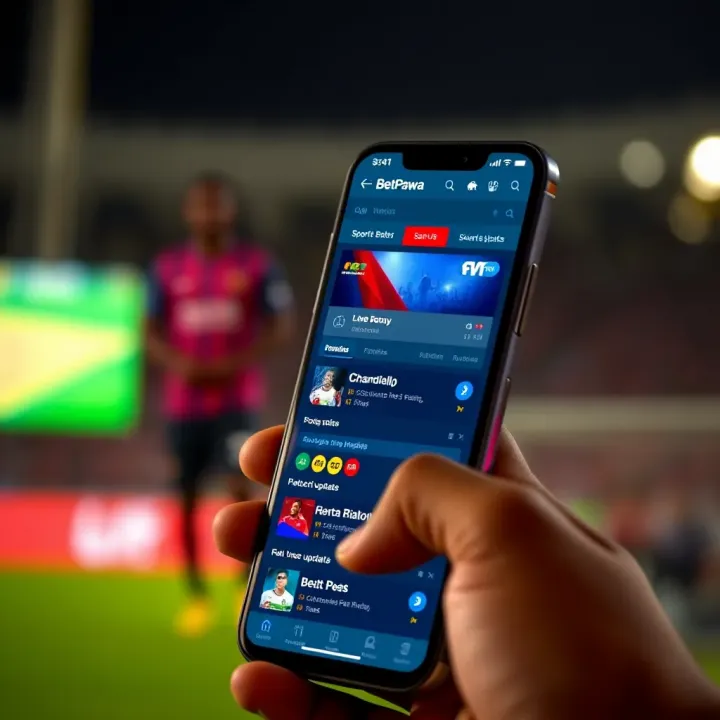
📲 Discover how to download and use BetPawa on Android in Nigeria. Get tips on installation, features, and safe betting for the best experience in ₦ and local settings!
🎯 Learn how to download and install Betpawa APK on your Android safely in Nigeria 🇳🇬. Get easy steps, app navigation tips, and secure betting advice now!
Based on 10 reviews